Just wondering if there has been any progress with this issue? The ability to have a customised information/inspector pane would be super useful, instead of having to switch between a few to find the info you want.
2 Likes
No, there is nothing to report.
Would have been nice to have this in DT4…
If it was simply accomplished, perhaps it would have been. There is a lot going on under-the-hood with inspectors. It’s not just a static view of some information in the indexed. Much of it is dynamically displayed, adding to the overhead. Combining inspectors in certain ways could certainly adversely affect the application’s performance.
1 Like
Yes, understood. But it would be so good…imagine the customisation you could do. The information panel could be tailored to suit a range of requirements. Please keep this request in mind 
1 Like
Yes, the request is noted.
3 Likes
I would like to show support to this request. I understand that it isn’t easy to achieve, but the Inspectors are one of the power features of DT and the option to customize would further strengthen this.
3 Likes
BTW:
The Tools > Get Info popover can be detached in version 4 and used next to the inspectors in main/document windows.
1 Like
That just shows the info pane. Perhaps useful to some, but it wouldn’t help with what is being asked for here.
Actually supports Info > Generic, Info > Data, Info > Properties and Info > Annotations & Reminder inspectors.
That really is an improvement. And of course no one would object if it also worked with DT3 
Yes, sorry, that is what I meant. But it’s not a custom info pane, as per the topic here.
How is this detaching supposed to work in DT4? I dragged the popover with the mouse buttons and various modifier keys with no effect.
Thanks for a tip.
When you have the popover visible there is a little triangle on the left of the “speech bubble”. Click it with your mouse and move it.

2 Likes
Small request for the future – when the Get Info is detached and floating, let it retain the detached and floating state the next time Get Info is invoked from the menu or the ⇧⌘I shortcut, and continue to do that until we explicitly re-attached the popover to something.
(Personally, I would never reattach it – I like to have it always in float state when invoked.)
2 Likes
A detached and opened Get Info popover is actually restored on startup or by workspaces.
Yes. The request is to have it restored whenever is has been closed and reopened. E.g., press ⇧⌘I to open the popover, detach it, do some stuff, press ⇧⌘I to close it, then later when ⇧⌘I is pressed the popover again remains detached. Maybe this is not what everyone would want, so it would be an optional setting
But how would you attach it again? That’s not a feature of macOS’ popovers.
It would probably have to be a button somewhere? Or perhaps there could be an option in the view menu to float popovers?
I have no idea if either is possible, but the view menu seems like the better solution to me.
(You could imagine such an option for each popover type, but I think a general ‘popover state’ option would suffice).
My first thought was to look at Fantastical’s mini window for inspiration, but I don’t think that translates well. There’s only a single point of connection in the menu bar… Not the case for DT’s interface.
Screen recording (GIF)
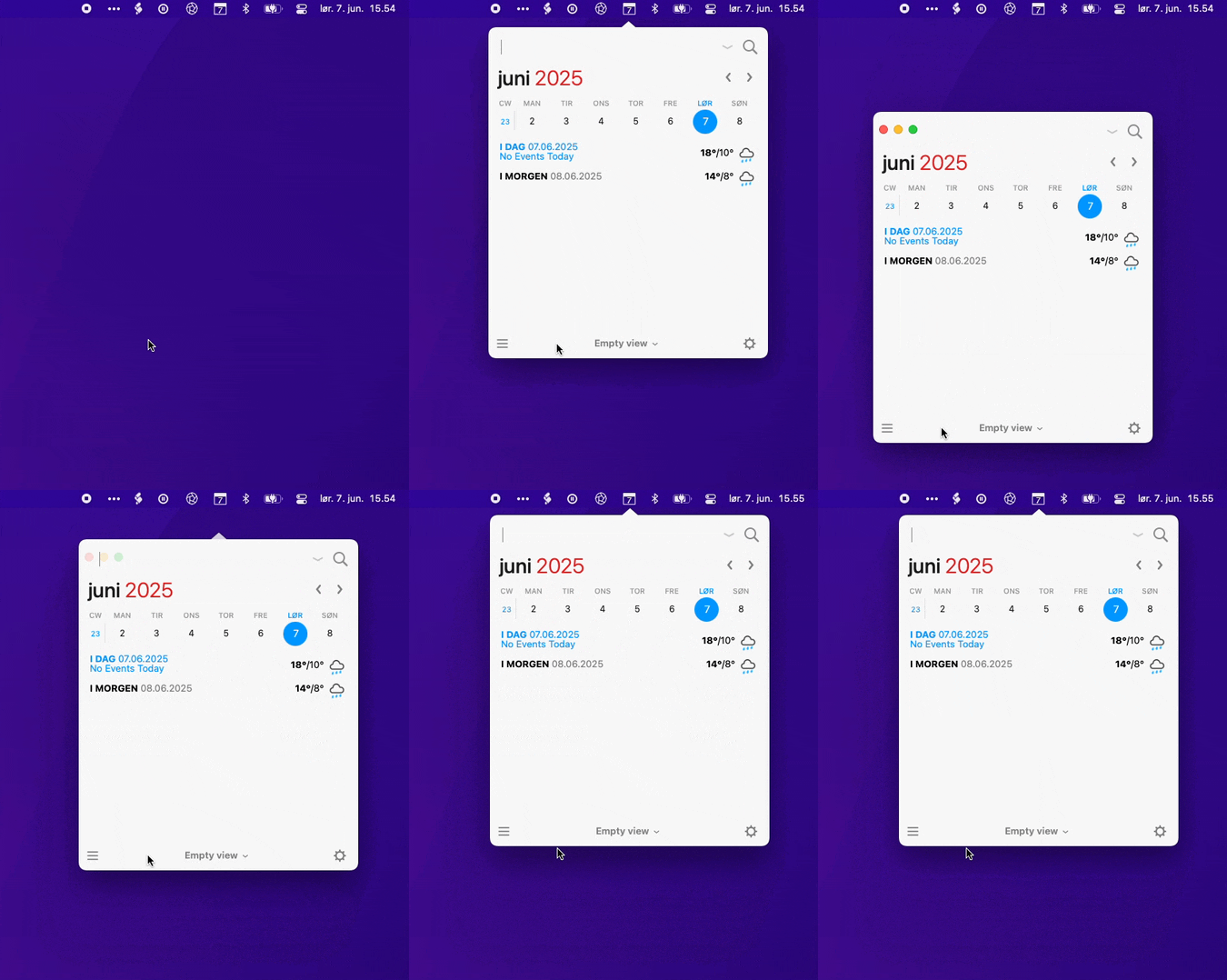
You can also attach/detach it from the list of options when clicking the cog in the lower right.

Just for awareness, but also to give an illustration of the potential worth of such a functionality, here is a link to another thread where I describe how such a behavior could tie in with a rather affordable way to make the graph much more autonomous, prominent and useful (indeed giving it center stage for some good reasons, mainly allowing using it as operational space for coherently ‘browsing’ DT):