First, forgive my ignorance! I cannot see my database in “open database”. It is blank. Why? See screenshot

You don’t have any databases open.
Maybe the Open Databases section is collapsed? E.g. are any databases listed in the File > New WIndow menu?
Unfortunately no!
- Is this what you see after launching DEVONthink?
- Did you double-click a database (.dtBase2 file) in the Finder to open it?
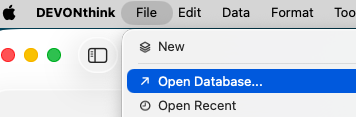


That is not where inbox.dtBase2 is kept. It is in
/Users/[user]/Library/Application Support/DEVONthink/Inbox.dtBase2
Do you only use the Global Inbox, and no other databases?
The Global Inbox is always open. While it is technically a database, it has special status. It cannot be closed, so it is not listed under “Open Databases”. It is always in the “Globals” section.
You probably have “Unify Inboxes” enabled in Settings > Interface? In that case, if there are no other open databases, the Global Inbox appears as just “Inbox” in the Globals section. If you have multiple databases open, “Inbox” becomes “Inboxes”, and the Global Inbox is listed as one of several inboxes.
If you disable “Unify Inboxes”, it is always listed as “Global Inbox”. (Or some other name in case you renamed it).
Edit: I can see from screenshots in some of your other posts that you do use other databases. But we don’t know where you saved them. As @kewms says, you can search for them in Finder, then simply double-click to open one.
1 Like
What specifically are you trying to do?
Your initial screenshot shows the Global Inbox up at the top.
If you have other databases and can’t find them, you can use Finder to search for .dtBase2 files.
2 Likes
Steps: Finder > Go > Go to Folder > ~/Library/Applications support/devonthink4 - found the inbox.dtBase2. See screenshots. I am completely lost at this time. Sorry!


1 Like

Just out of curiosity: is dtbase2 a remnant from Devonthink version 2, or what is the 2 standing for?
This format was introduced by version 2.