Many using this combo will already be aware of this, but the current ScanSnap software doesn’t work with MacOS 27 Golden Gate (it get stuck processing the scan). There’s a beta version here which solves the issue. It has to be manually installed as if it’s a fresh installation, but doesn’t overwrite your existing settings, and will scan to DT as normal.
11 Likes
Yes the beta version works great, even with my old ix500!
1 Like
@NickLowe THANK YOU SO MUCH for this information. I bought a new scanner since I thought it was something with my ix500. Like @tinksquared said, it works with my old ix500 and the new one is going back!
4 Likes
Thanks so much for this! And now that I know it works with tinksquared’s ix500, here’s hoping that my slightly less ancient ix1500 will also continue to be supported. 
1 Like
Thanks a lot. I have the same issue. It‘s the scansnap App which is not working. I was Award of the Beta. Thank you!
1 Like
Just another example why I never upgrade to the initial release of a macOS major update. I am of the opinion that Apple OS releases are not dependent on adaquate testing to fix class 1 and serious class 2 bugs but on a calendar schedule. In the last 5-10 years I have not witnessed a major OS release that did not have serious issues left in it. I always wait for the AppleOS xx.1 release at minimum. I am fed up with being a volunteer beta tester for Apple and offering to report serious bugs without some form of compensation. When working for Apple decades ago I used to get paid for doing that stuff and I no longer are going to give them my experience and skills for free. I have found such things as a way to bypass the 28 digit recovery code and how to totally wipe out a Mac silicon internal SSD to its initial out of box state without a second computer or password without hacking, but I am not about to share it as they are security risks but are useful to me for recoverying data or corrupted drives. If I tell Apple they will likely disable them without creating tools for users to fix such issues themselves.
1 Like
I may wrong, but wouldn’t it be on ScanSnap to make sure their software works on upcoming releases?
2 Likes
Great. Thanks. Will wait for the end of September for 4.1 release
1 Like
It was released yesterday.
2 Likes
ScanSnap Home 4.1.0 release notes.
Open ScanSnap Home, check for Update in the Help menu.
It’s a messy install and leaves a lot of cruft behind, but at least Ricoh did the release relatively on time.
you guys are lucky. I updated and still have the same problems. mean while I can neither uninstall nor install…
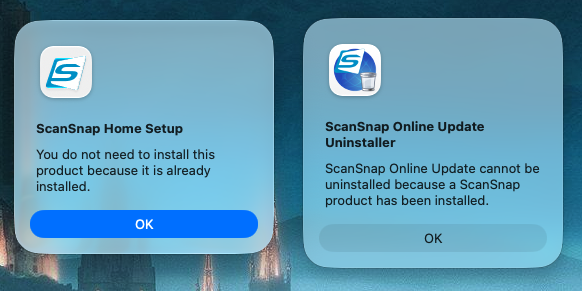
edit: I was just sharing a funny moment - I have uninstalled manually and am re-installing now,
Interesting. I had abandoned ScanSnap Home for a third party open source scanner app that works quite well but I may have to revisit this release.
A post was split to a new topic: Usage of concordance tool